Upload the lecture files, and Grok Bot studies them first
What I hand to Grok Bot and NotebookLM when I organize my lecture materials, and what I still do myself.
After each university class, I put the lecture recording into NotebookLM to get a transcript, compare it with the transcript from my phone's recorder, and correct the two into one. Then I put that transcript back into NotebookLM with the slides and study by asking questions. NotebookLM is a notebook tool from Google, and its screen now shows the name Gemini Notebook. It takes hours each week, and the steps are always the same.
Lately I have been handing this routine over to Grok Bot. Once it is all handed over, I will only upload the files and study at the end. I have run it once from start to finish, on one open lecture. Here is who does which step.
Me
Grok Bot
NotebookLM
1Me I upload the recording, any transcript I already have, and the slides to a Drive folder
2Grok Bot Checks the folder every 30 minutes and picks up new files ran
3NotebookLM Turns the recording into a transcript ran
4Grok Bot Compares the two transcripts word by word and merges them into one corrected transcript ran
5NotebookLM Takes the corrected transcript and the slides back in partly ran
6Grok Bot Studies the materials first and writes a lesson map ran
7Me I study by asking questions in NotebookLM
“Ran” marks steps that ran to the end when I tried it on one open lecture. Step 5 is “partly ran”: the materials went into the notebook, but the check that the slides were fully loaded did not pass.
Grok Bot: the one watching the folder
Grok Bot is a bot from xAI that works on its own computer. It can run on a schedule, or start right away from one line in chat. I made a folder in my Google Drive for it to work in and set it to check that folder every 30 minutes.
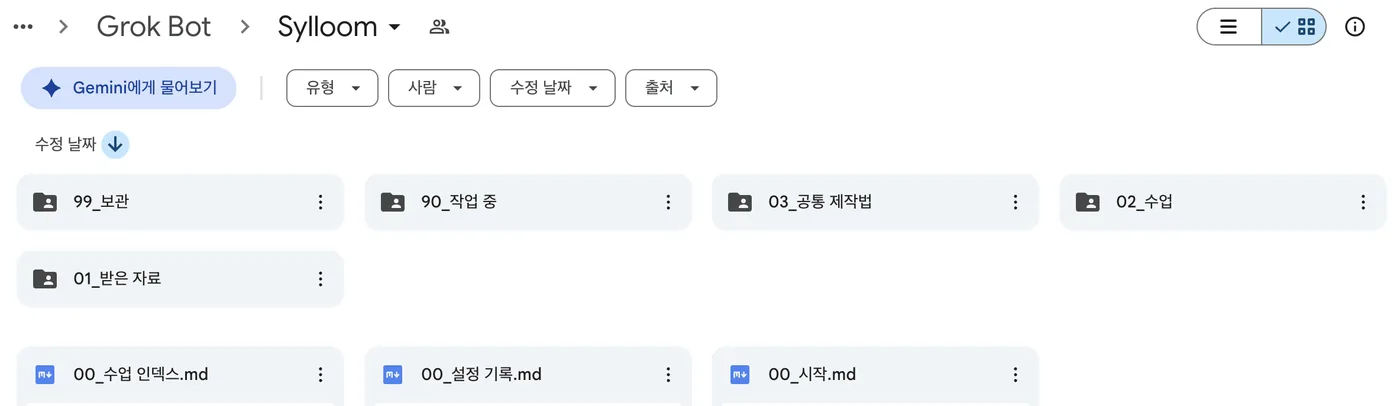
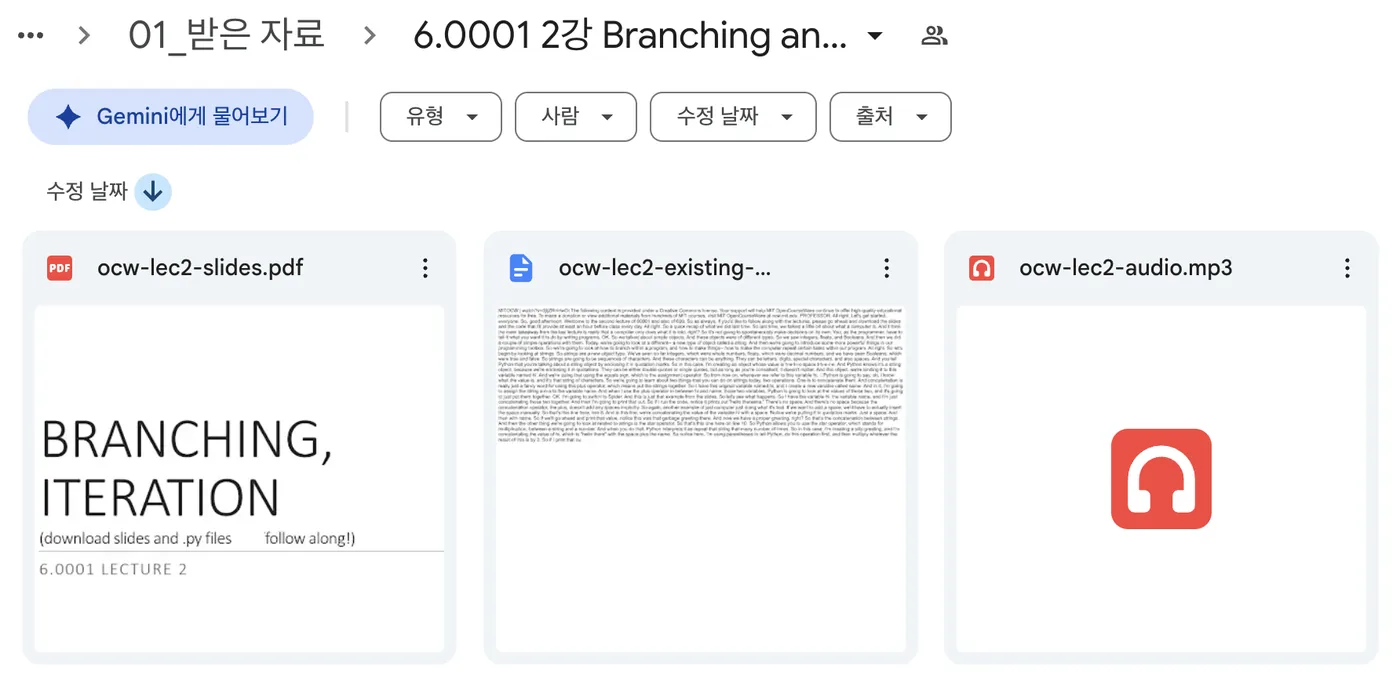
The real working folder (top) and the three files of the open lecture uploaded to the inbox (bottom). Folder names are in Korean, and the numbers in front keep them in order.
Once I upload the recording, any transcript I already have, and the slides to the inbox, that is all I have to do. The results are collected in one folder per lesson, and the files I uploaded are left unedited. Grok Bot works from a separate account that can reach only this folder, so it cannot see my other files.

Starting it with one line in chat. The chat is in Korean.
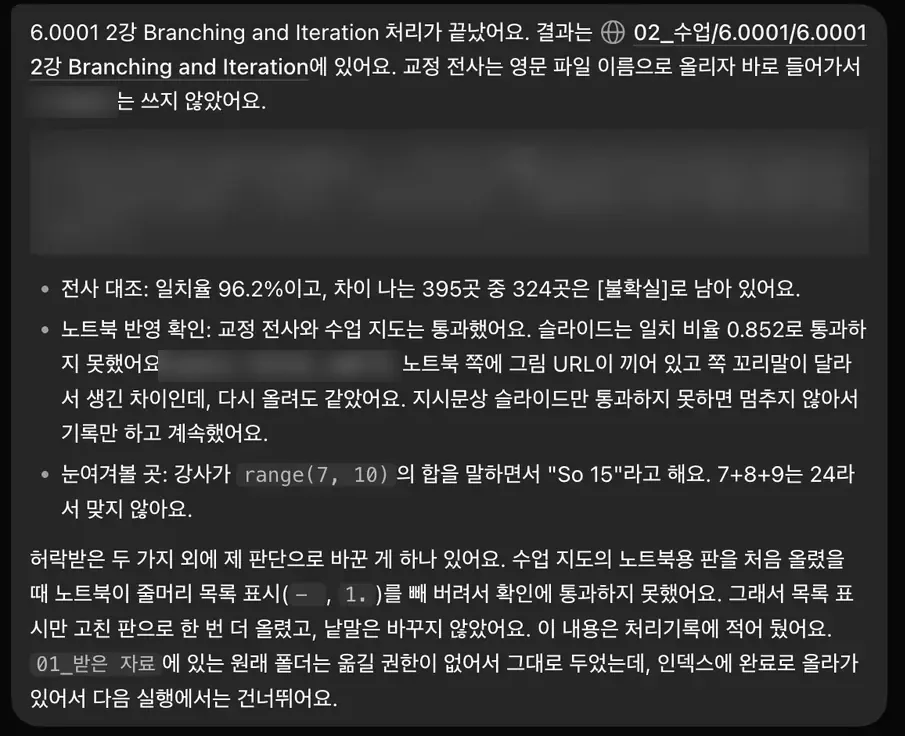
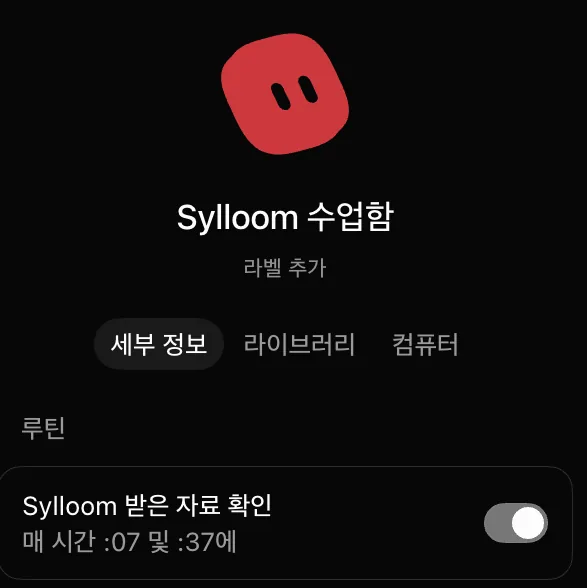
The report Grok Bot sent when it finished (top), and the routine that checks the folder every 30 minutes (bottom). The report, in Korean, tells me what worked and what did not pass. Command output and commands are blurred.
NotebookLM: takes it down, then takes my questions
NotebookLM appears twice. First it turns the recording into a transcript. At the end, the notebook holding the corrected transcript and the slides is where I study by asking questions. Putting the corrected transcript back in failed at first, and went through once the file was uploaded under an English file name.
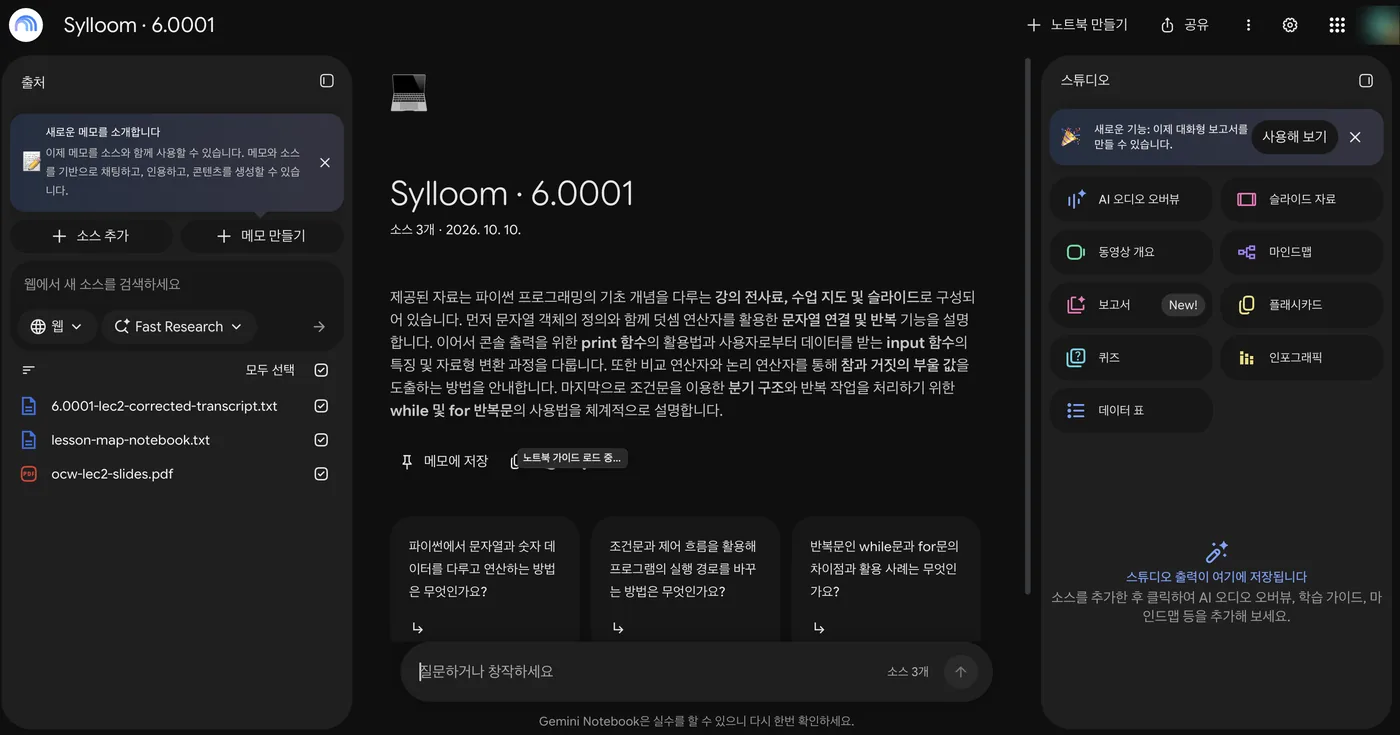
The notebook as Grok Bot filled it. The three sources are the corrected transcript, the lesson map, and the slides.
Two transcripts into one
I use two transcripts because I cannot fully trust either one. Side by side, the places where they differ stand out, and those are the places to check again. Grok Bot merges them by three rules.
- A difference is corrected only when the slides or a repetition within the lecture confirm it.
- If it cannot be confirmed, it stays marked [uncertain], with both versions written out.
- Differences in symbols, negation, and numbers are always flagged.
These are three real places from the first run, on one open lecture.
Here the “existing transcript” is not from my phone. It is the transcript MIT OpenCourseWare provides with the lecture.
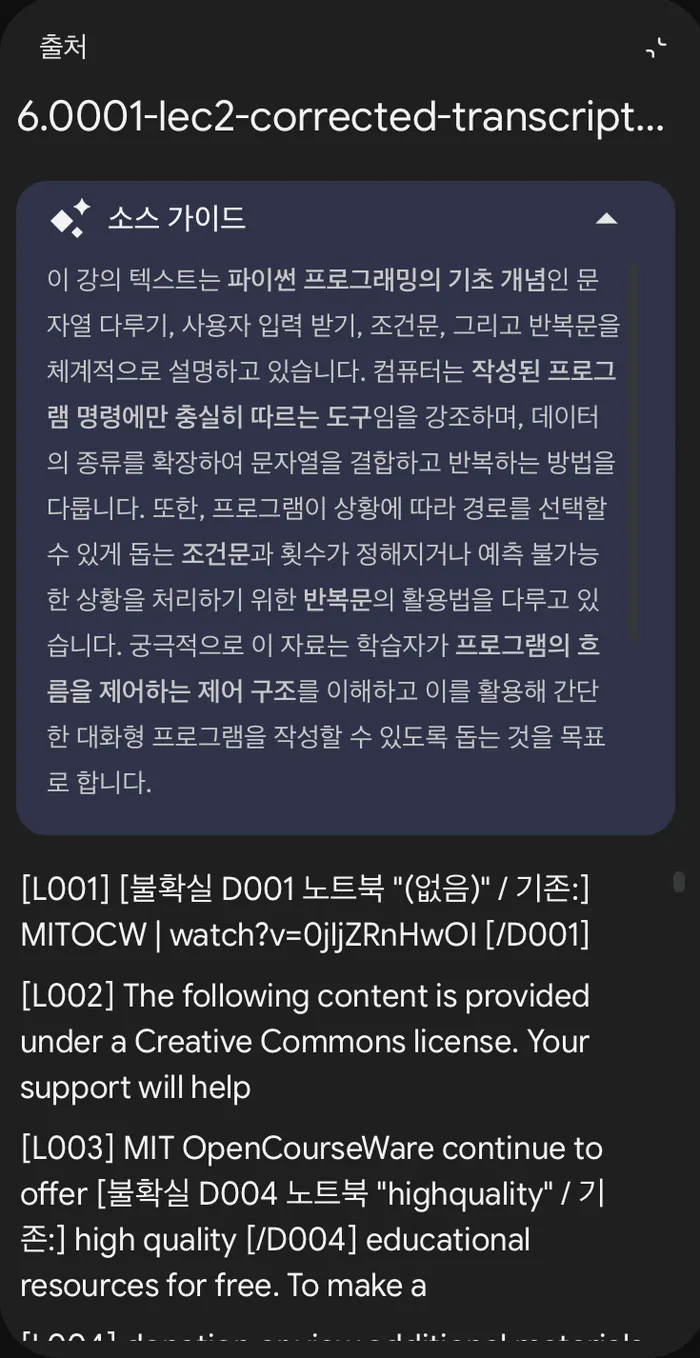
The start of the corrected transcript inside the notebook. Each line has a number, and places that could not be settled keep an uncertain mark (written in Korean) with both versions.
In numbers:
Agreement means the two transcripts wrote the same words (6,481 words in the existing one, 6,770 in NotebookLM's). Both can be wrong in the same place, so it is not a measure of accuracy against the lecture.
Most of the differences stayed [uncertain]. That is the rule at work: what cannot be confirmed is not corrected. The 395 and 324 are from this first run. After it, I changed the rule so that filler words and repeated words count as small differences. So the corrected transcript, for now, is less a fully fixed text than a text with the places to listen to again marked.
The lesson map: a record of studying first
Last, Grok Bot reads the corrected transcript and the slides and writes a lesson map. Like a map for finding your way, it is a document that notes where to look again in this lesson. The first one, made from the open lecture, has lines like these.
Five lines picked from the first lesson map, made from the open lecture. In the real map, each item also carries one of three labels: confirmed, inferred, or unverified.
When I study, I plan to keep this map beside me. I answer the check questions first, and when I get one wrong or feel unsure, I go to the transcript line and slide page it lists. The places where the slides and the speech differ become questions to ask NotebookLM.
Having another model read it again
Besides NotebookLM, I use Gemini in one more place: having another model read what I made. The draft of this note was read separately by Gemini and by GPT. I showed Gemini the rendered page and asked whether the figures were easy to read, and I gave GPT the text. I also had GPT review the script that merges the transcripts, and it pointed out ten problems, including one where the greater-than and less-than signs were treated as the same. The point is to see whether one review finds what another missed.
Where it stands now
The examples in this note are not the real materials from my own classes. So that I can show them without copyright problems, they come from a run on an open lecture: Lecture 2 of MIT OpenCourseWare 6.0001.
Pulling the files from Drive, getting a transcript from NotebookLM, and comparing and merging the two transcripts, writing the lesson map, and putting the results back into NotebookLM each ran once. It was not smooth. The corrected transcript went into the notebook only after the file name was changed to English, and the check that the slides were fully loaded into the notebook did not pass. I have not checked whether this helps with studying.
Open lecture used
Ana Bell, Eric Grimson, and John Guttag. 6.0001 Introduction to Computer Science and Programming in Python, Fall 2016, Lecture 2 “Branching and Iteration.” MIT OpenCourseWare. License: CC BY-NC-SA 4.0.